The "Projects" tab is where all members of an organization can get a high-level assessment of Project health by seeing information such as the last date a Project was active, the last update from a Project, all with the ability to sort and group Projects based on what data is most important to you.
 Filtering, sorting, and grouping
Use flexible filters, groupings, and sorting functionality to view Project activity in a Collection and/or Portfolio under the "Projects" tab.
 Check out this tutorial to master filtering, sorting, and grouping so you can only see the most relevant data to you.
 PRO-TIP To save your filter, sort, and grouping choices, bookmark the URL so that when you pull up Productable, you'll have those choices saved.
 Nudging Project Members for a progress update
Waiting for a Progress Update from a Project team? Nudge all team members or a particular few for an update and they will receive a notification prompting action.
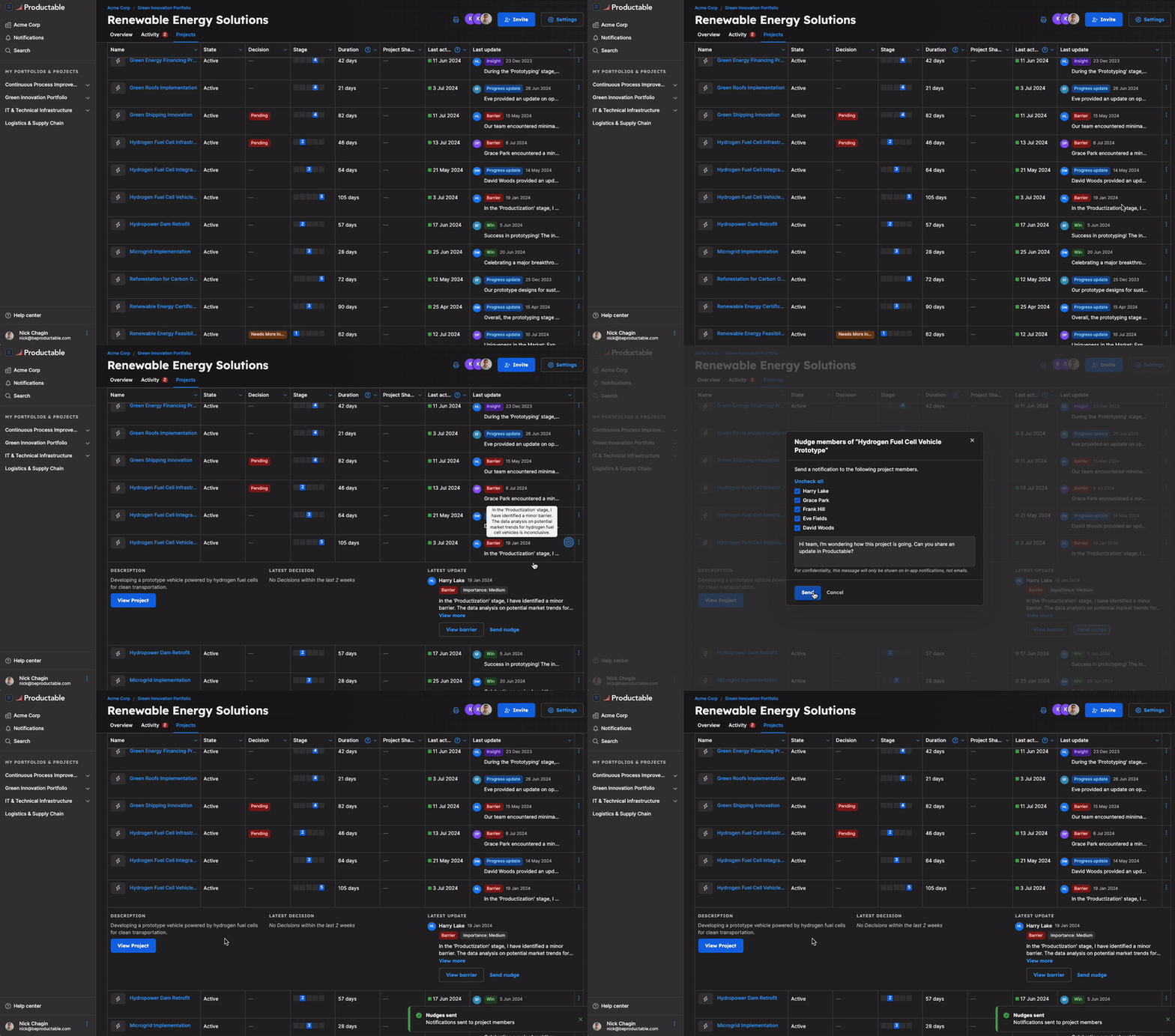
 Follow this tutorial to see how to get to the Nudge capability
➡️ Moving Projects and forcing Stage Changes
Projects can be moved between stages of idea maturity and can even be moved to other Portfolios.
 Forced Project movement to other Portfolios and Stage Change Requests need to be done by Productable. Work with your Success Team Lead to migrate Projects. Email support@beproductable.com for more questions or guidance.
Was this article helpful?
That’s Great!
Thank you for your feedback
Sorry! We couldn't be helpful
Thank you for your feedback
Feedback sent
We appreciate your effort and will try to fix the article